
Five Steps, About a Minute
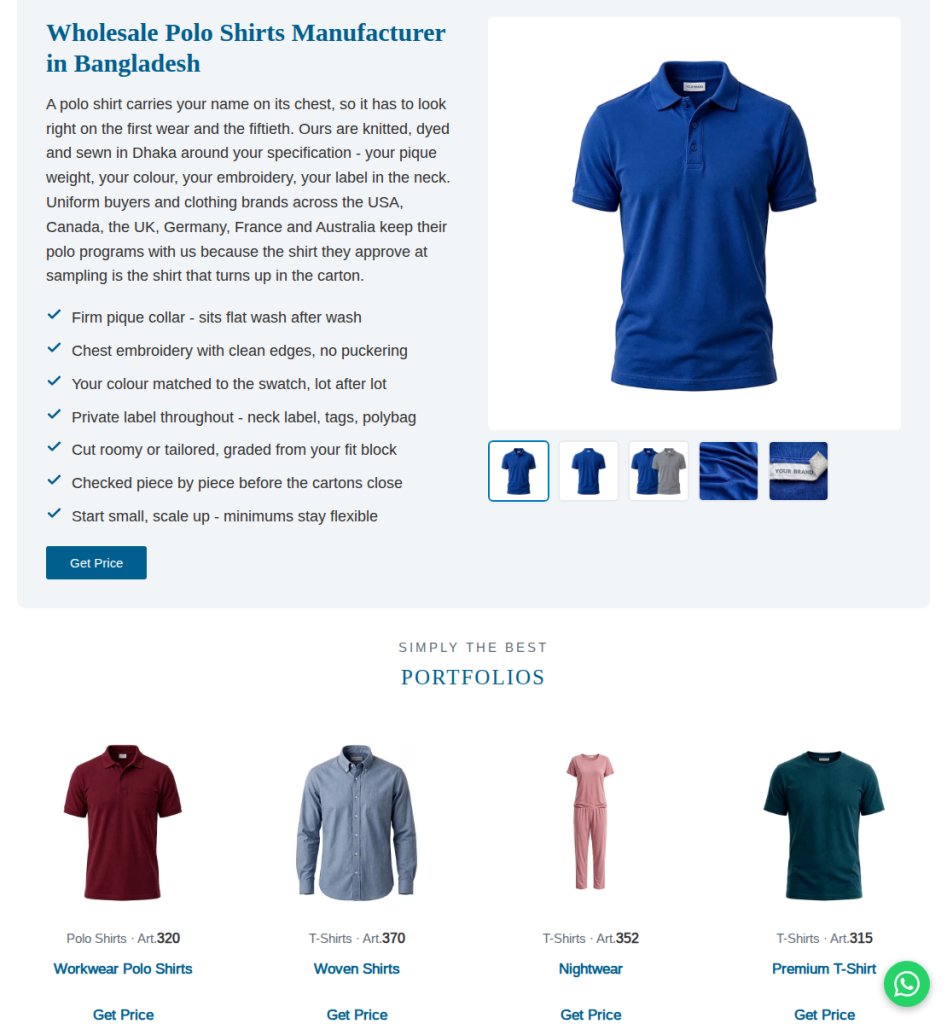
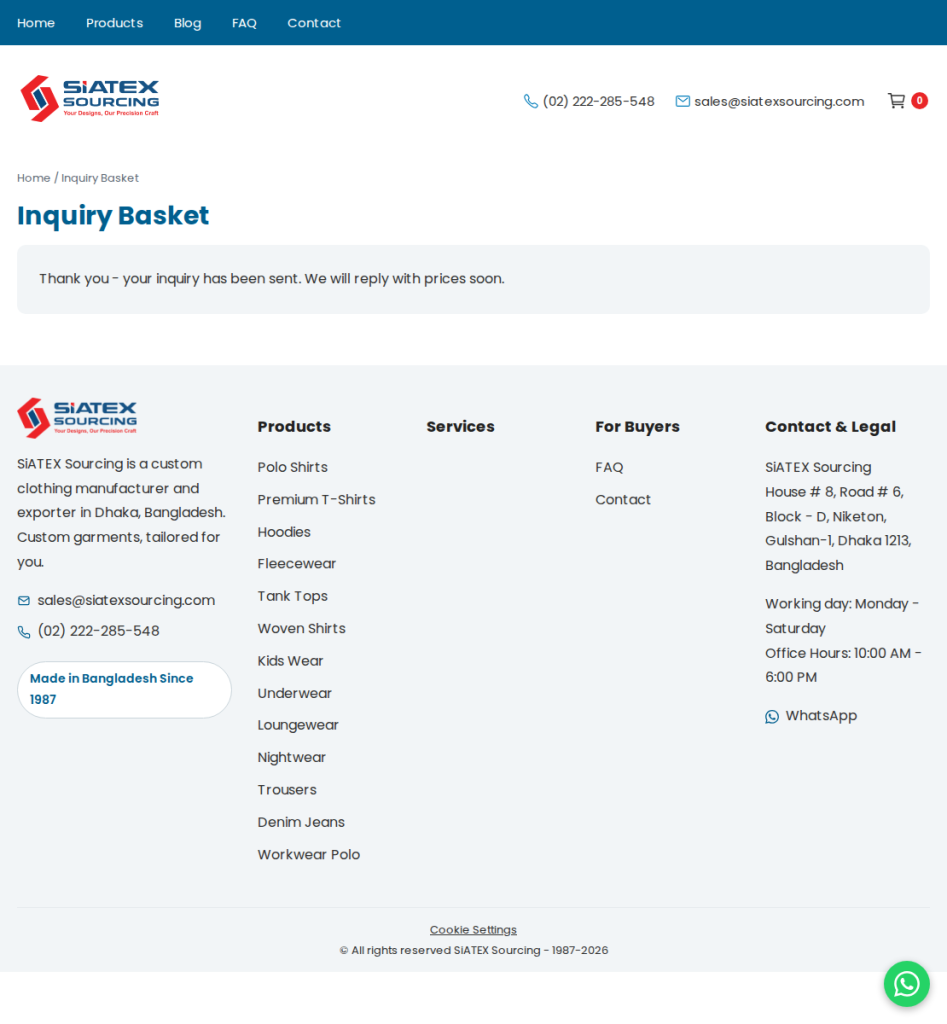
The pictures beside the intro show the whole flow in order. The first one is the Get Price button on a product page; the last one is the thank-you message you see when your inquiry reaches us.
1. Tap Get Price
Open any product page - for example our Polo Shirts - and tap the Get Price button under the product details.
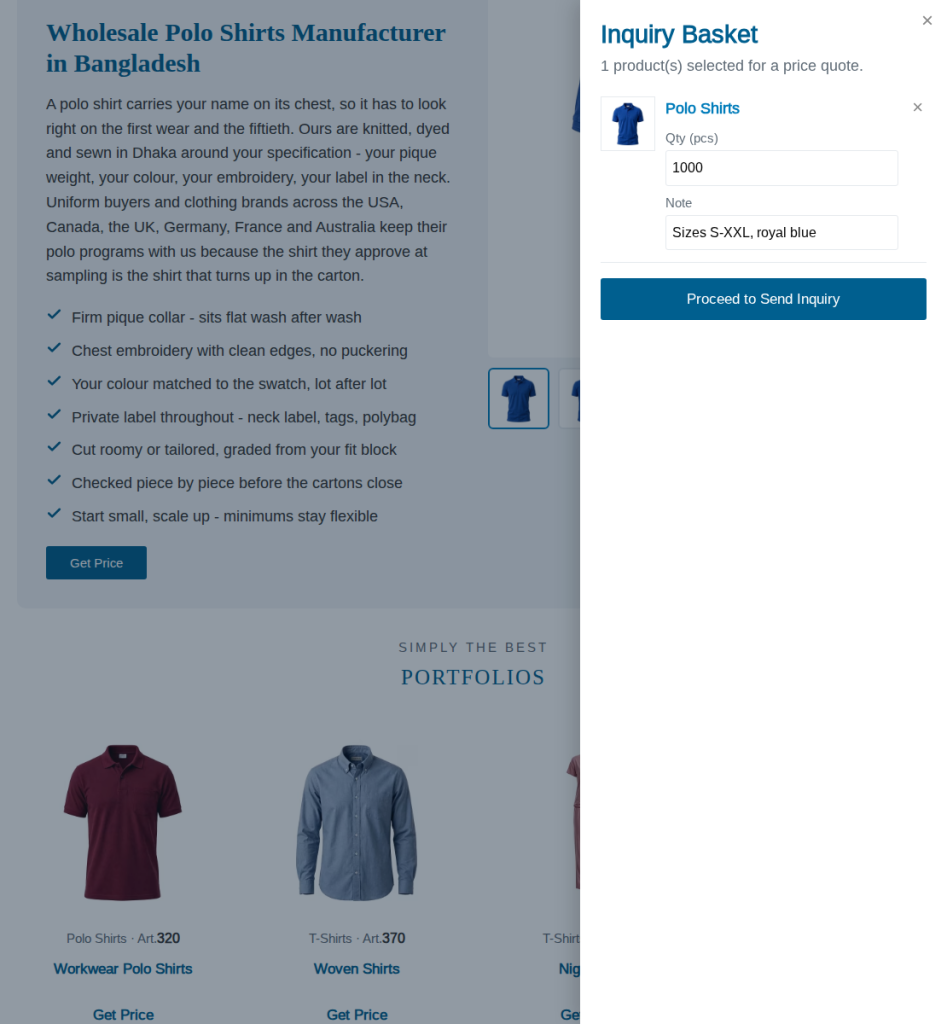
2. Add Your Quantity and Note
The Inquiry Basket opens on the right with your product inside. Type how many pieces you want and a short note - sizes, colours, your logo - then tap Proceed to Send Inquiry. You can add more products first and send them all together.
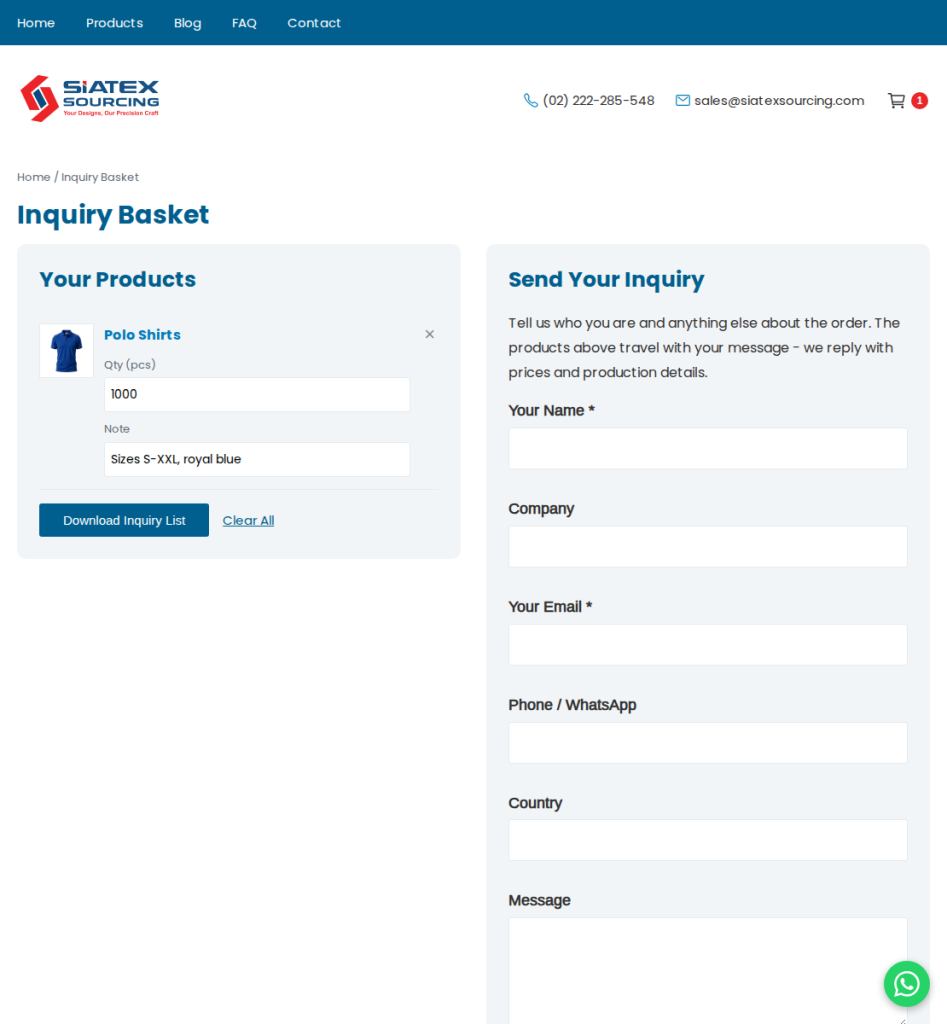
3. Check Your Products
On the Inquiry Basket page you see every product you picked. You can still change the quantity or note, remove an item with the x, or download the list for your records.
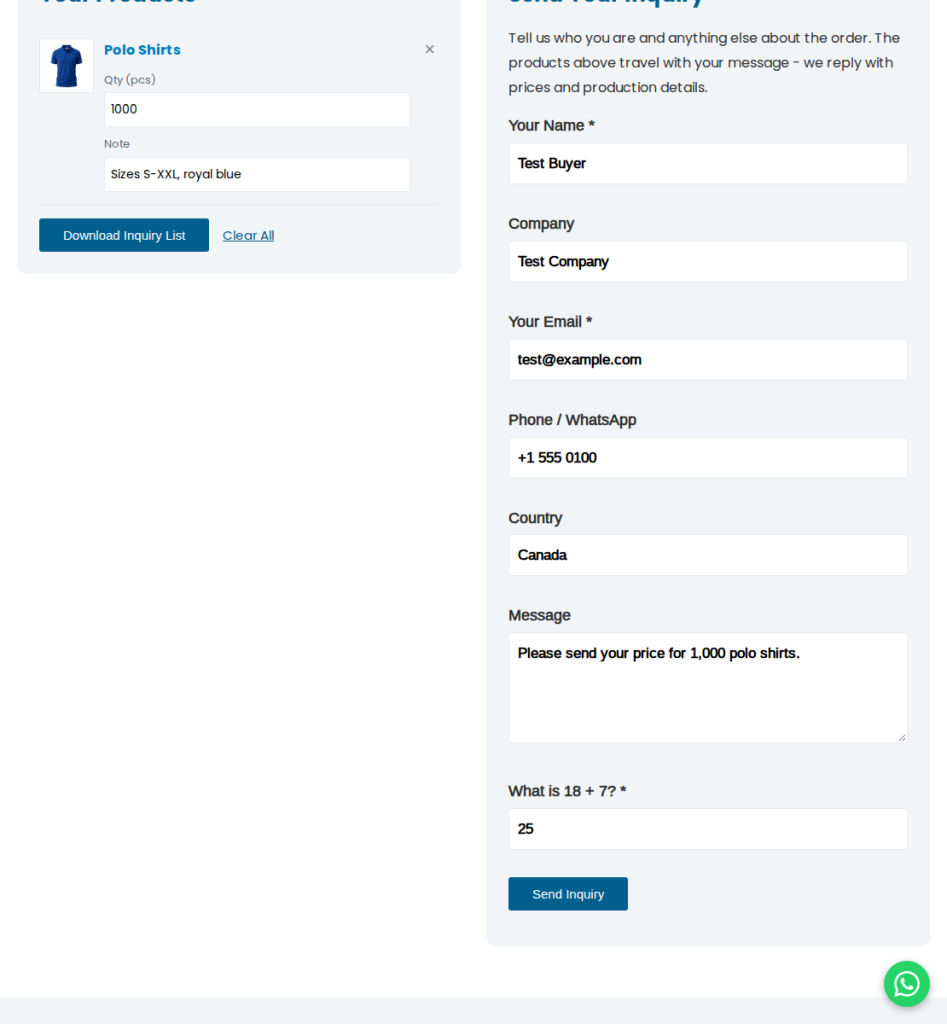
4. Fill In the Short Form
Your name and email are enough. Company, phone and country help us reply faster. Write anything else about the order in the Message box, answer the small maths question, and tap Send Inquiry.
5. Done
You will see the message: "Thank you - your inquiry has been sent. We will reply with prices soon." That is all. We answer by email with prices, fabric options and delivery time.
Prefer to Talk First?
Use the contact page or the WhatsApp button on any page, and we will walk you through it.